The PlainSail you know, thoughtfully reimagined. A beautifully consistent experience for the complex work behind every trust and corporate services firm.
From a single dashboard to the deepest accounting workflow, PlainSail 2.0 feels more focused, more consistent and easier to navigate.
700+
views. One experience. A comprehensive redesign across the PlainSail application.
Trust and corporate administration is complex. The software you use every day shouldn’t add to it.
The new dashboard
One dashboard. Five views of your day.
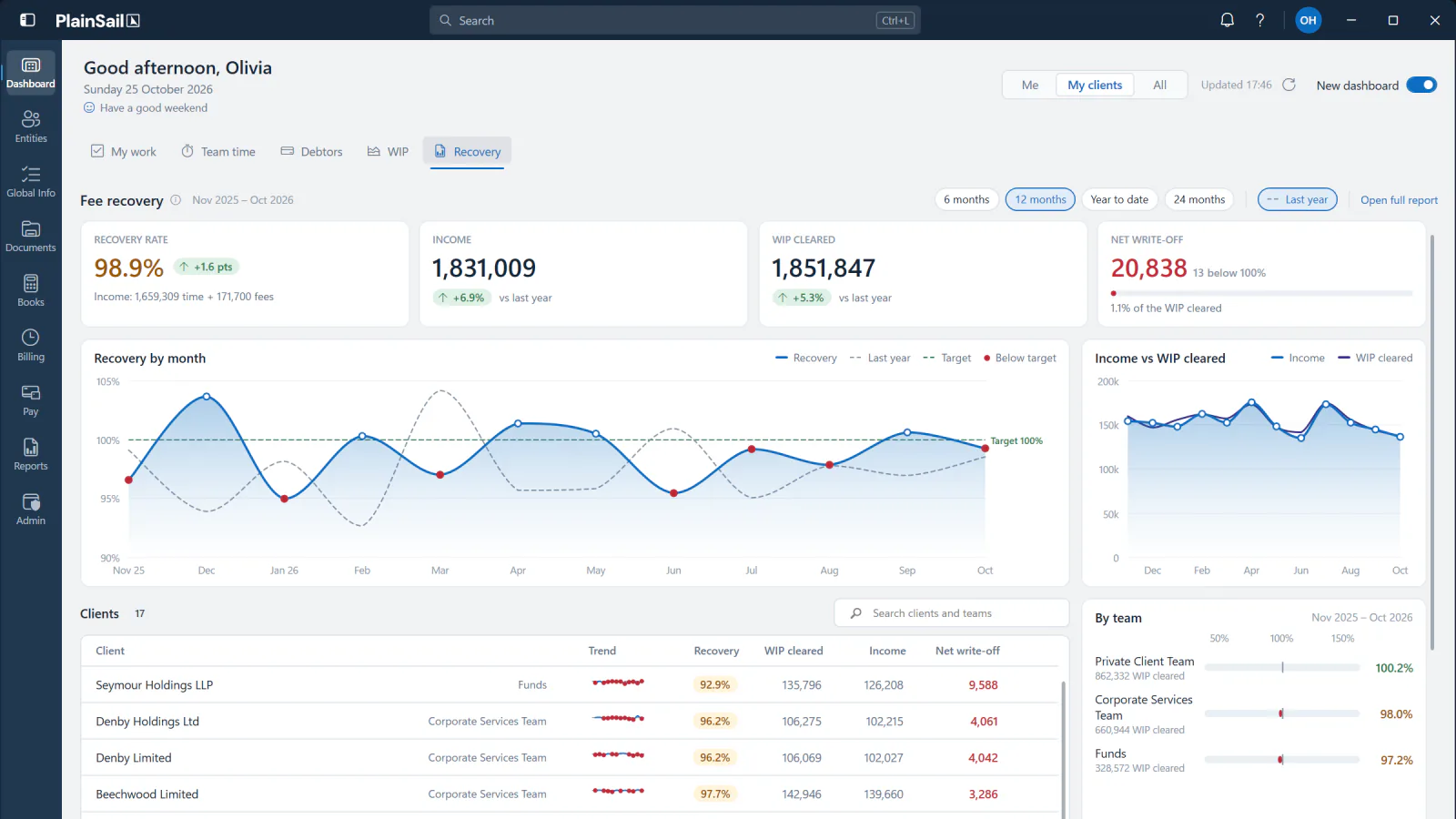
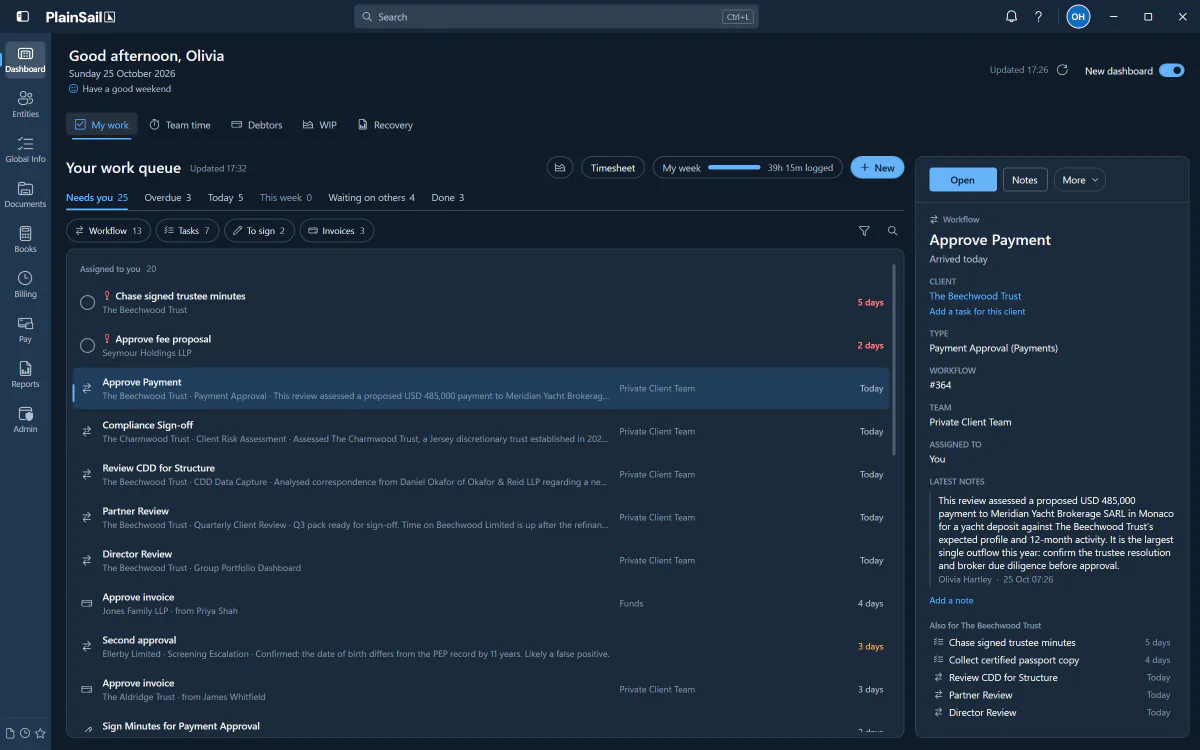
The new PlainSail dashboard brings My Work, Team Time, Debtors, WIP and Recovery together in one place.
01 / Clarity at a glance
See the whole picture.
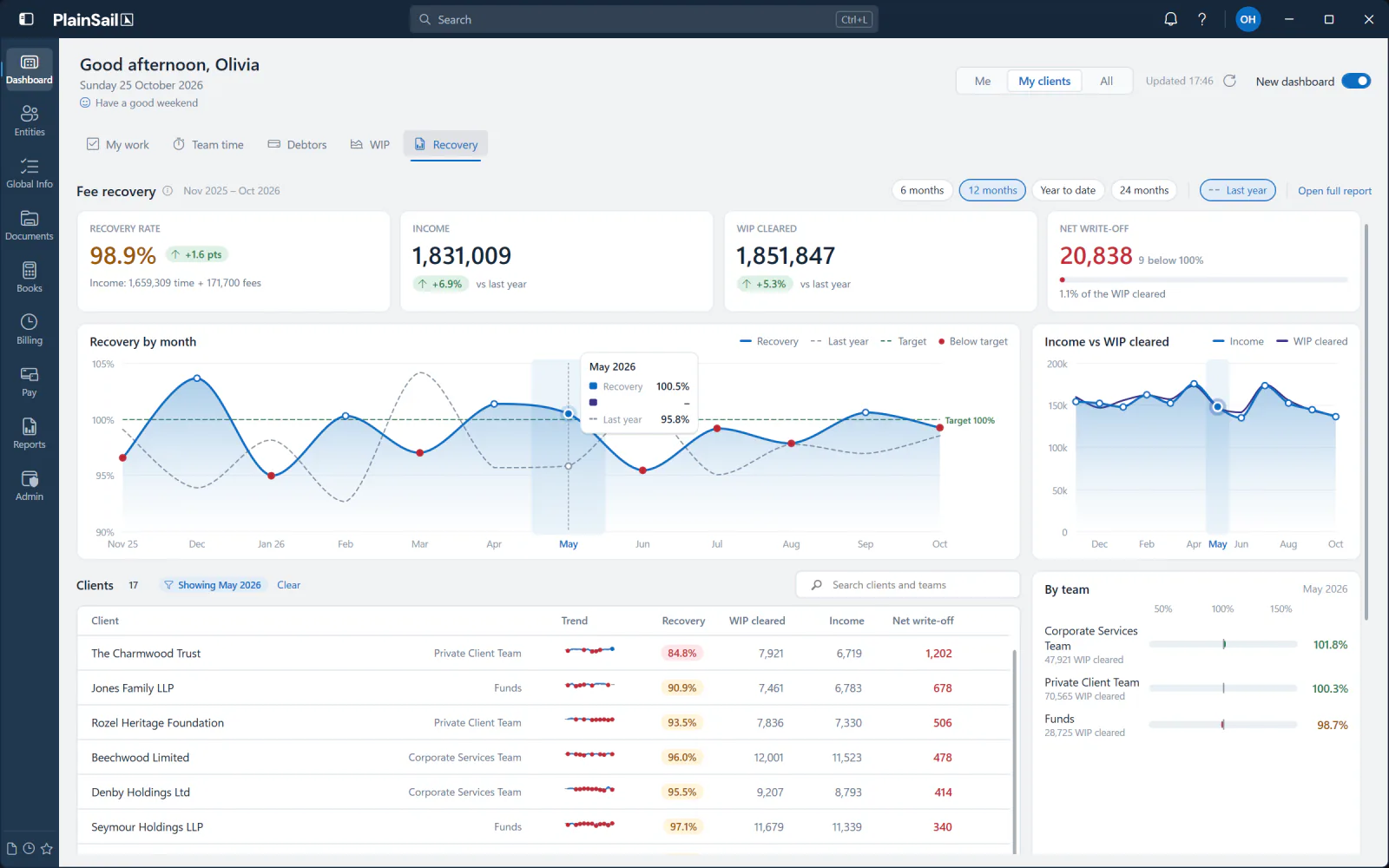
Understand financial performance without losing the detail. Refined Recovery, Debtors and WIP dashboards bring key measures, trends and supporting records together in one coherent view.
Every tab links straight through to its full report.
02 / Less noise. More momentum.
Your work, in focus.
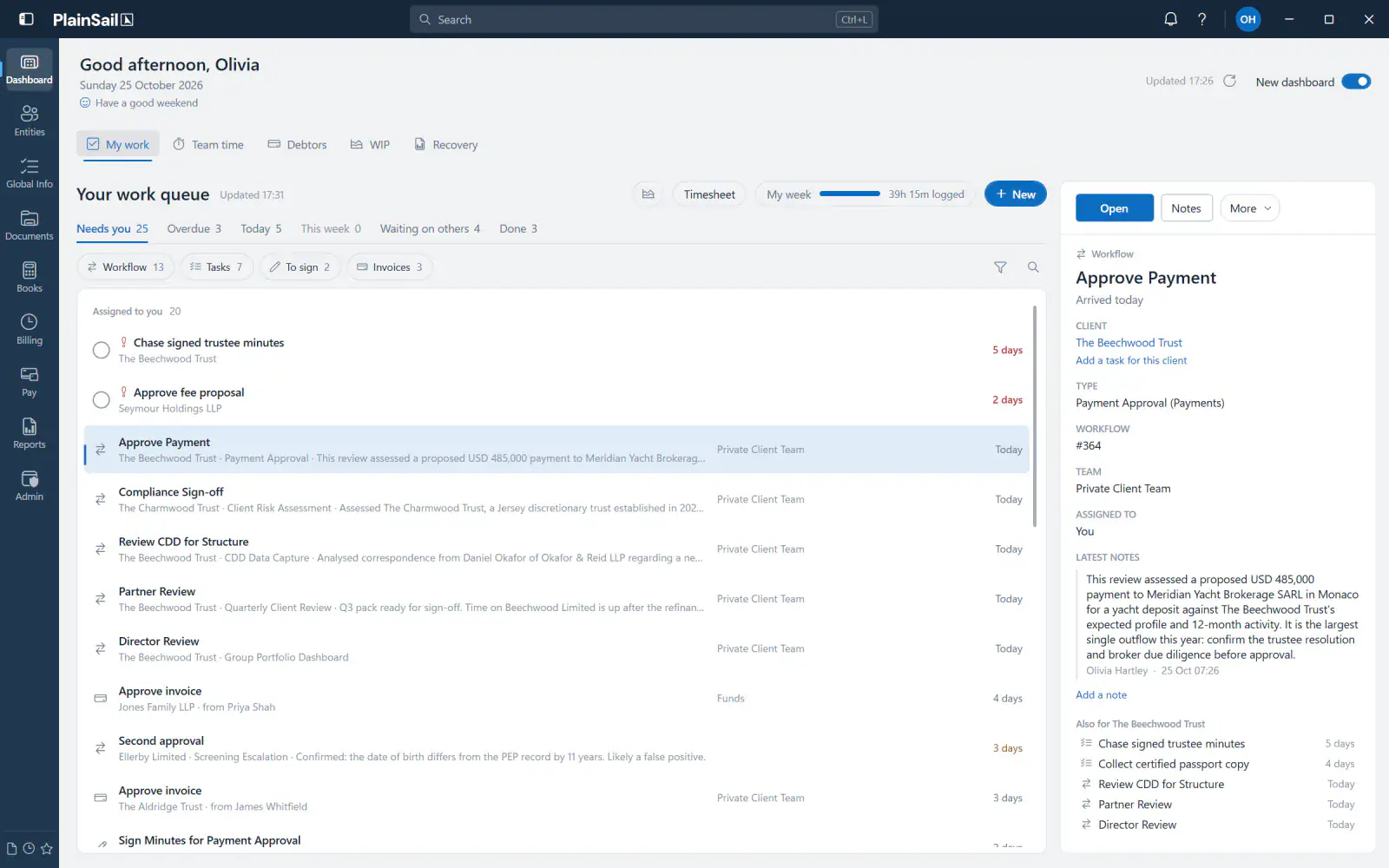
All your work. One queue.
Approvals, tasks, workflows and follow-ups, brought into a single clear queue. See what needs your attention and move directly into the work.
Act in bulk, snooze or skip with undo, and read the detail without leaving the list.
03 / Considered throughout
Built for the details.
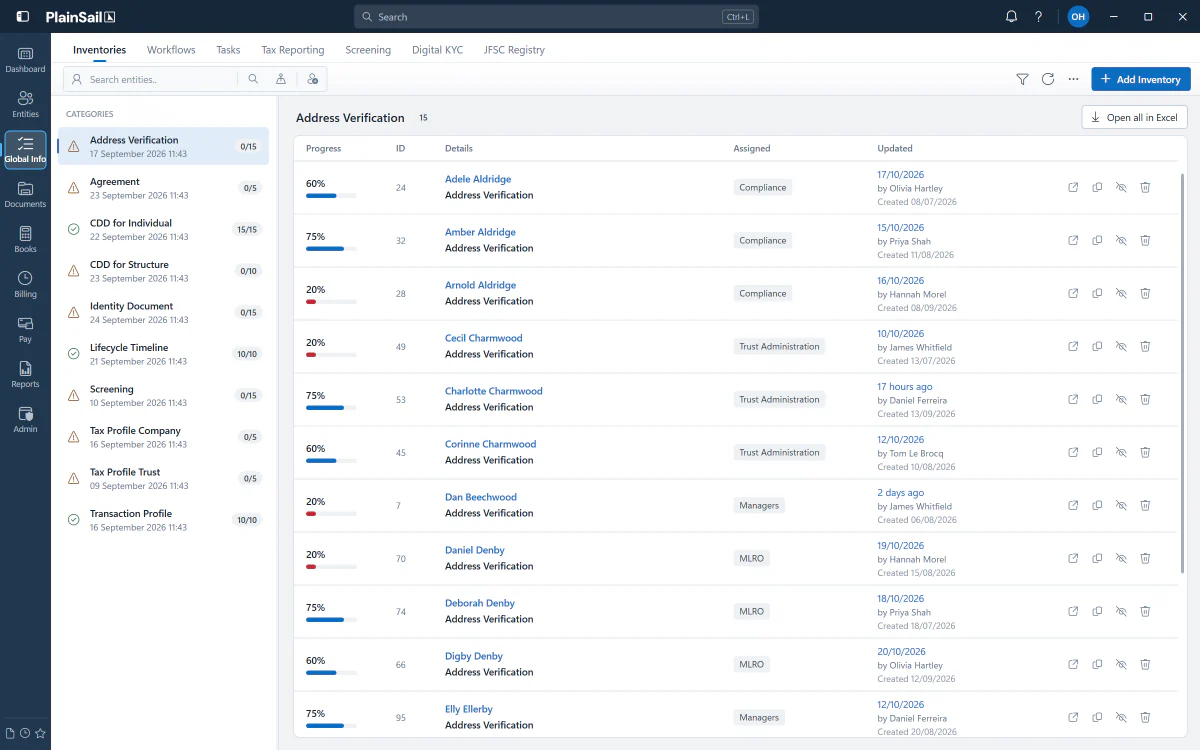
A cleaner visual language extends across complex views as well as simple ones. Subtle hierarchy, familiar workflows and consistent interactions make everyday work feel more effortless.
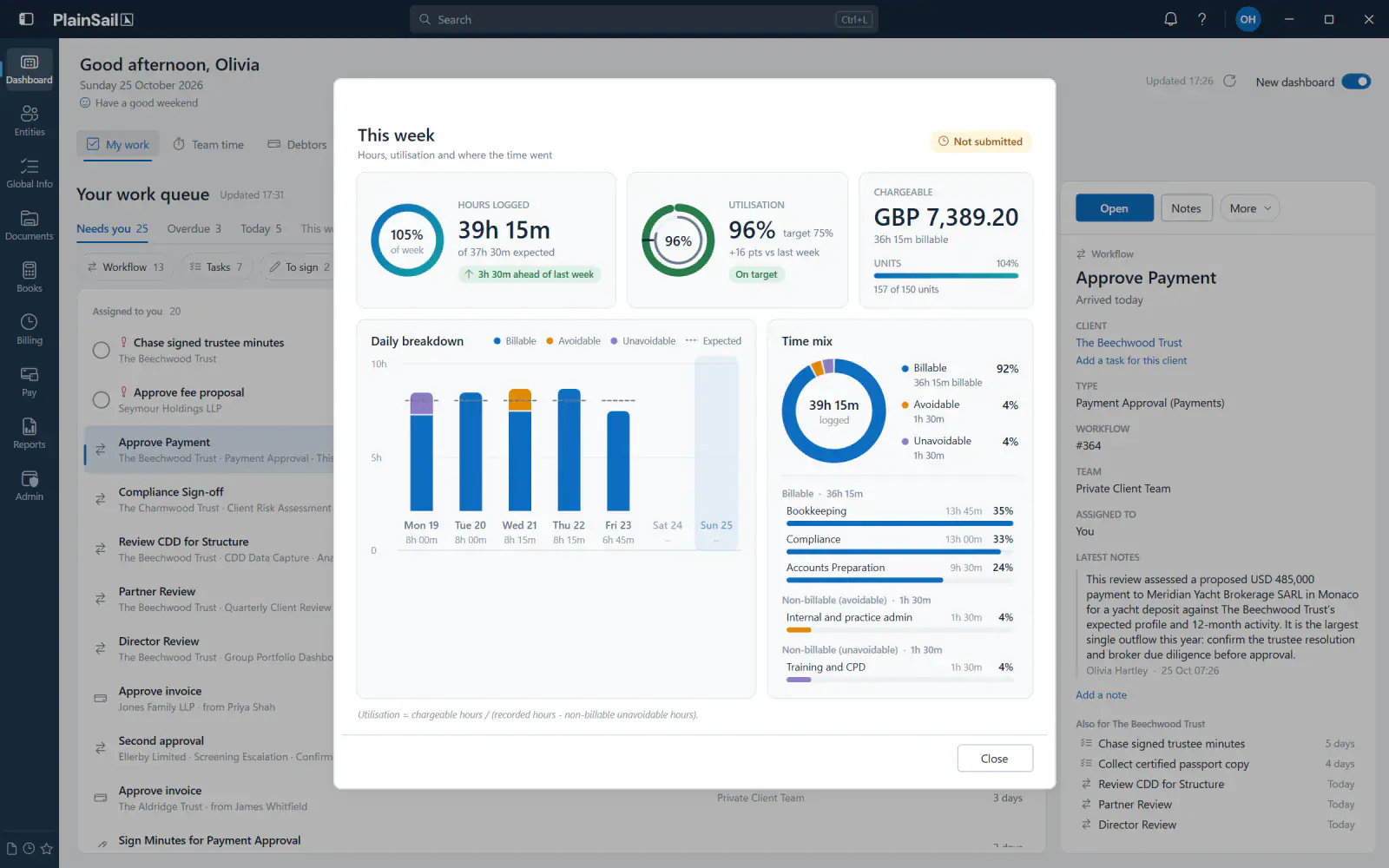
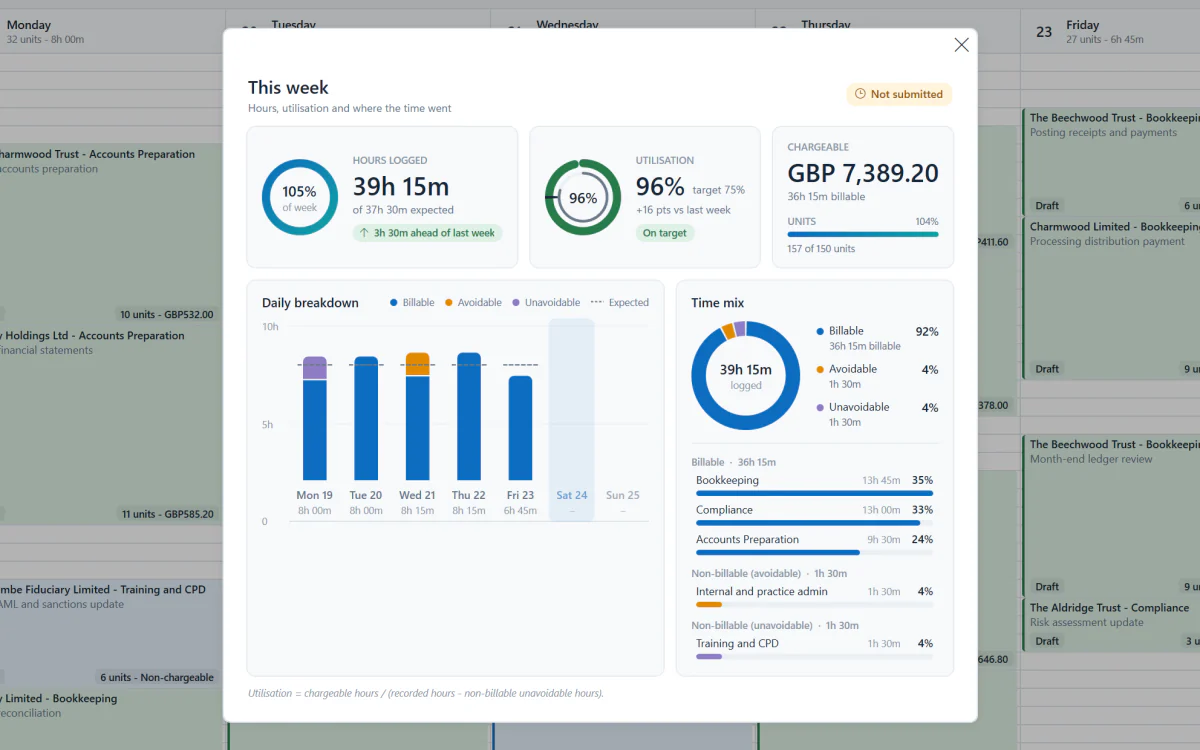
Team Time shows your hours, utilisation and where the time went, one click from My Work.
04 / Cash flow in view
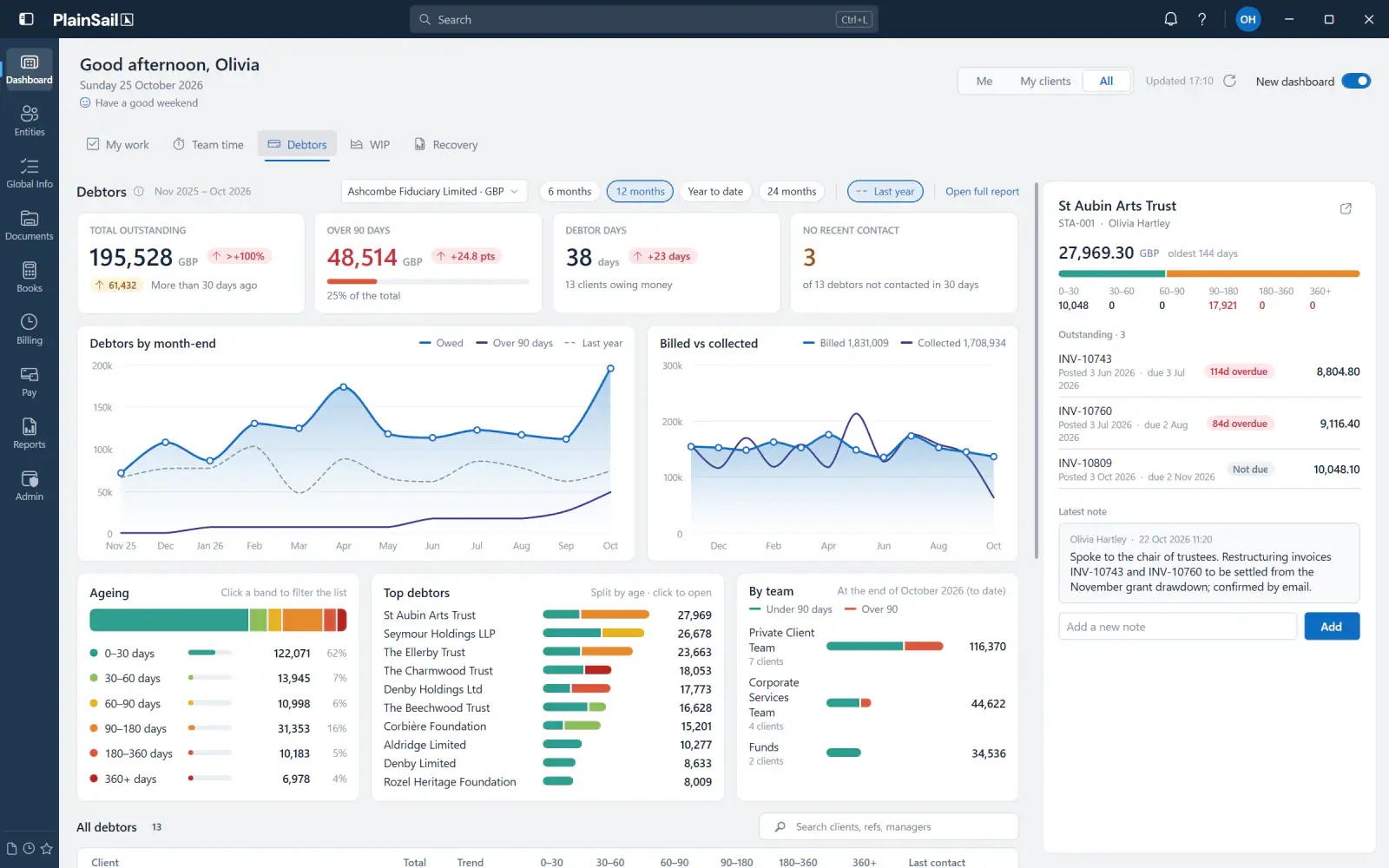
Stay ahead of what’s owed.
Total outstanding, ageing and debtor days at a glance, with your top debtors and a breakdown by team.
Open a client to see their outstanding invoices and add a note, without leaving the dashboard.
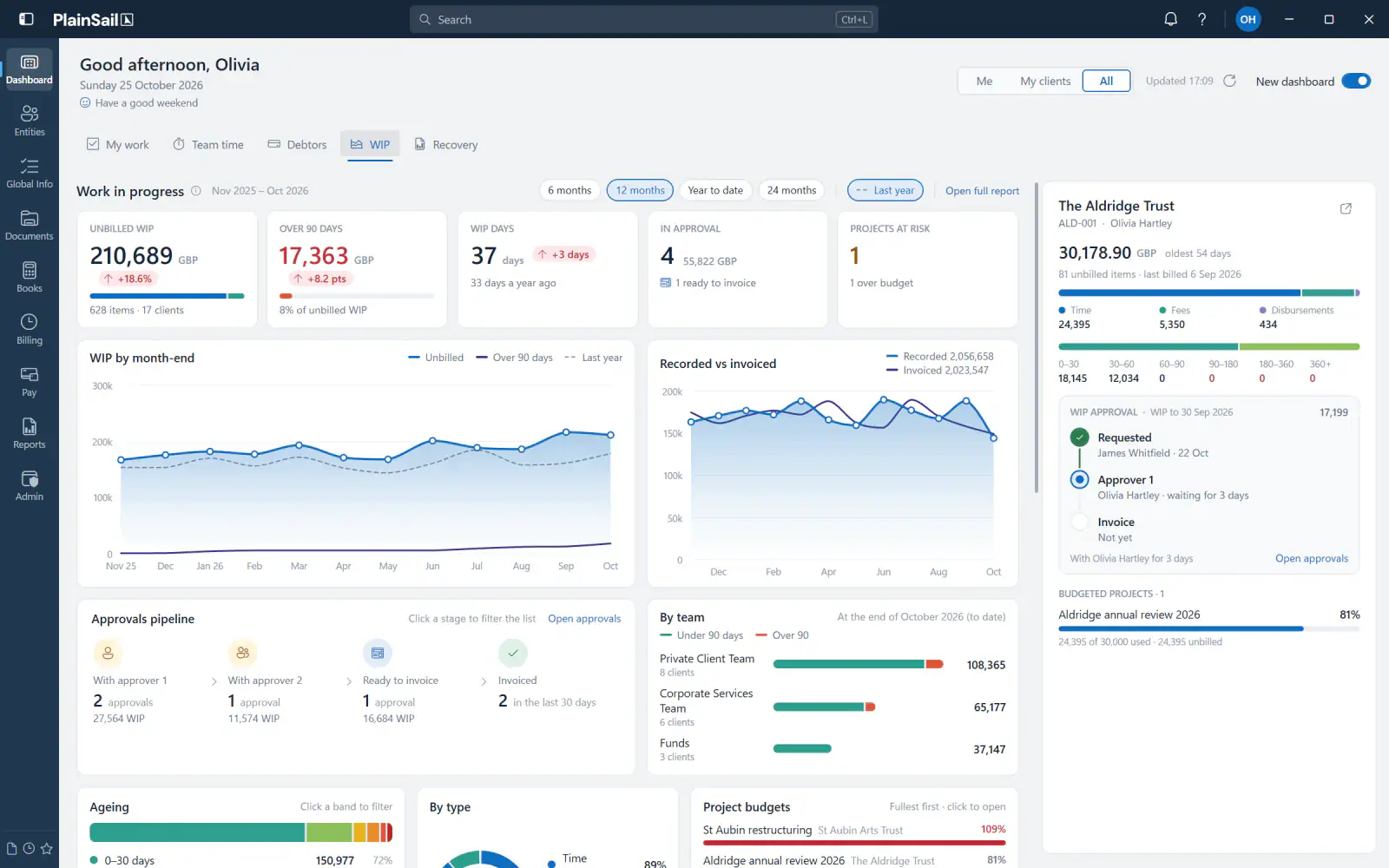
05 / Work in progress
Nothing left unbilled.
Unbilled WIP, ageing and WIP days at a glance, with an approvals pipeline from first approver to invoice, and project budgets you can see filling up.
Open a client to follow its WIP approval step by step.
Recovery
My Work
Team Time
Debtors
WIP
A different side of PlainSail
PlainSail. After dark.
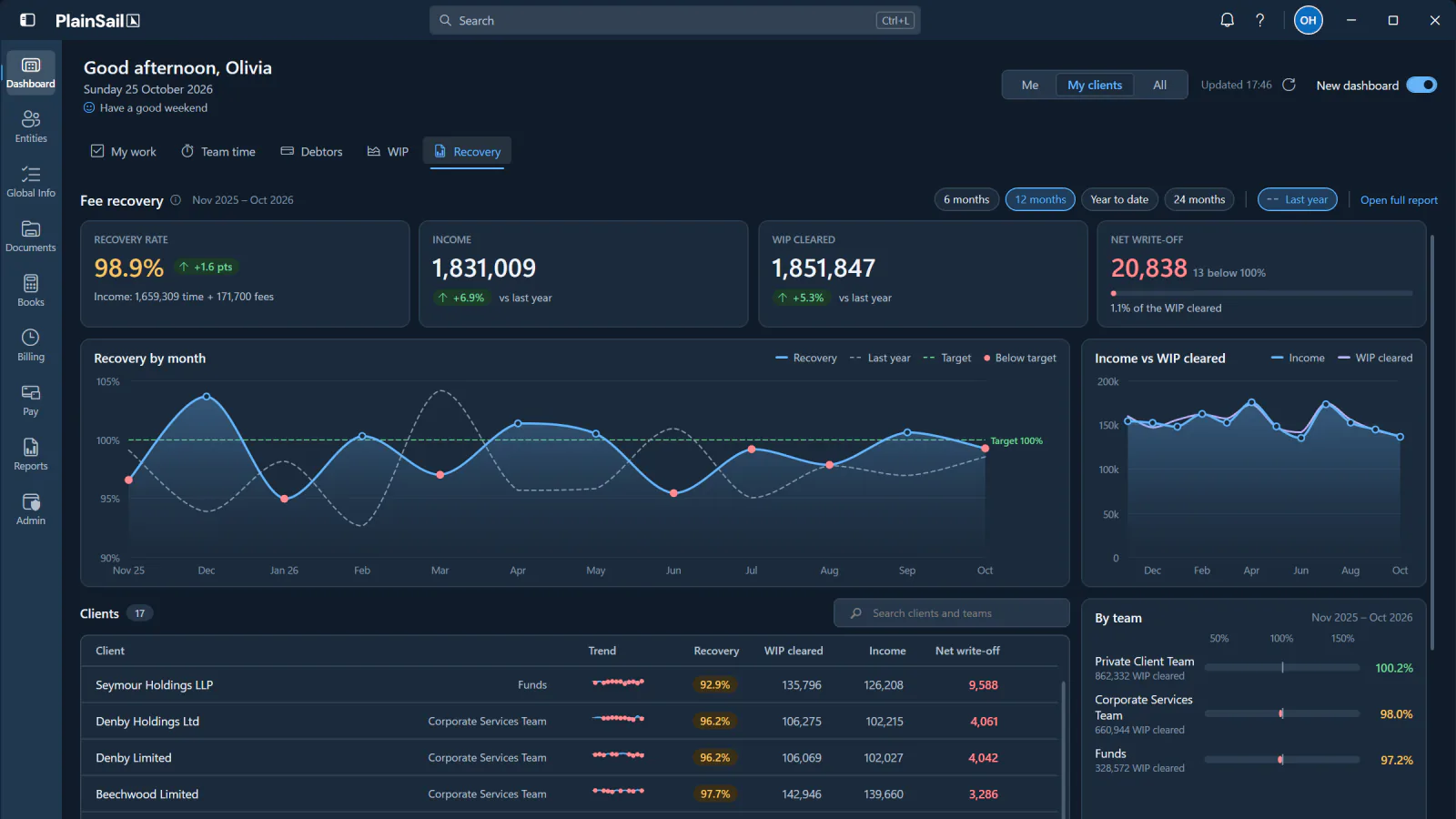
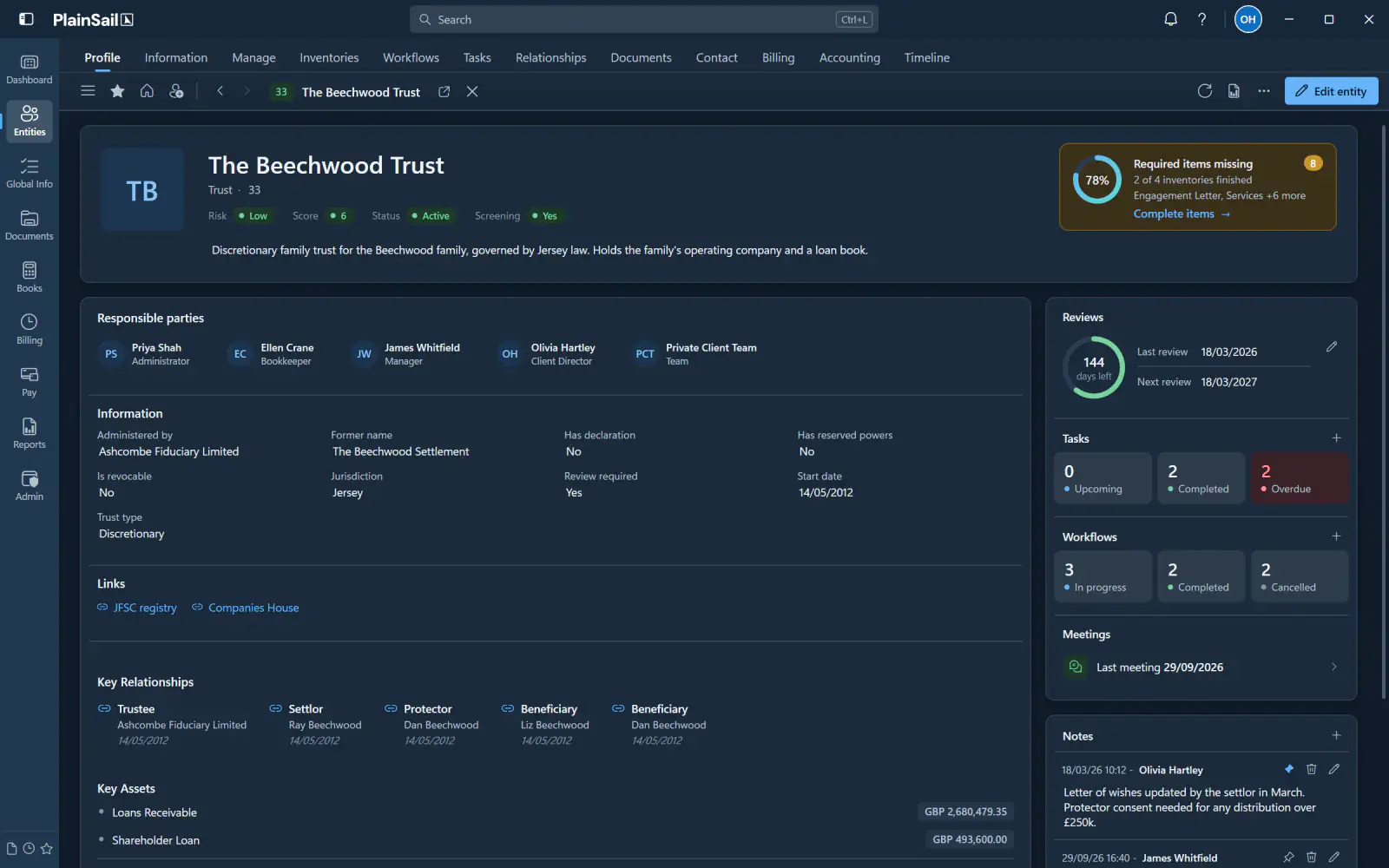
The same depth and capability, in a new light. A thoughtfully designed dark theme for the way you prefer to work.
DarkLight
Drag, or use the arrow keys, to compare dark and light.
Your workspace. Your preference. The same PlainSail.
One platform. Six integrated modules.
01
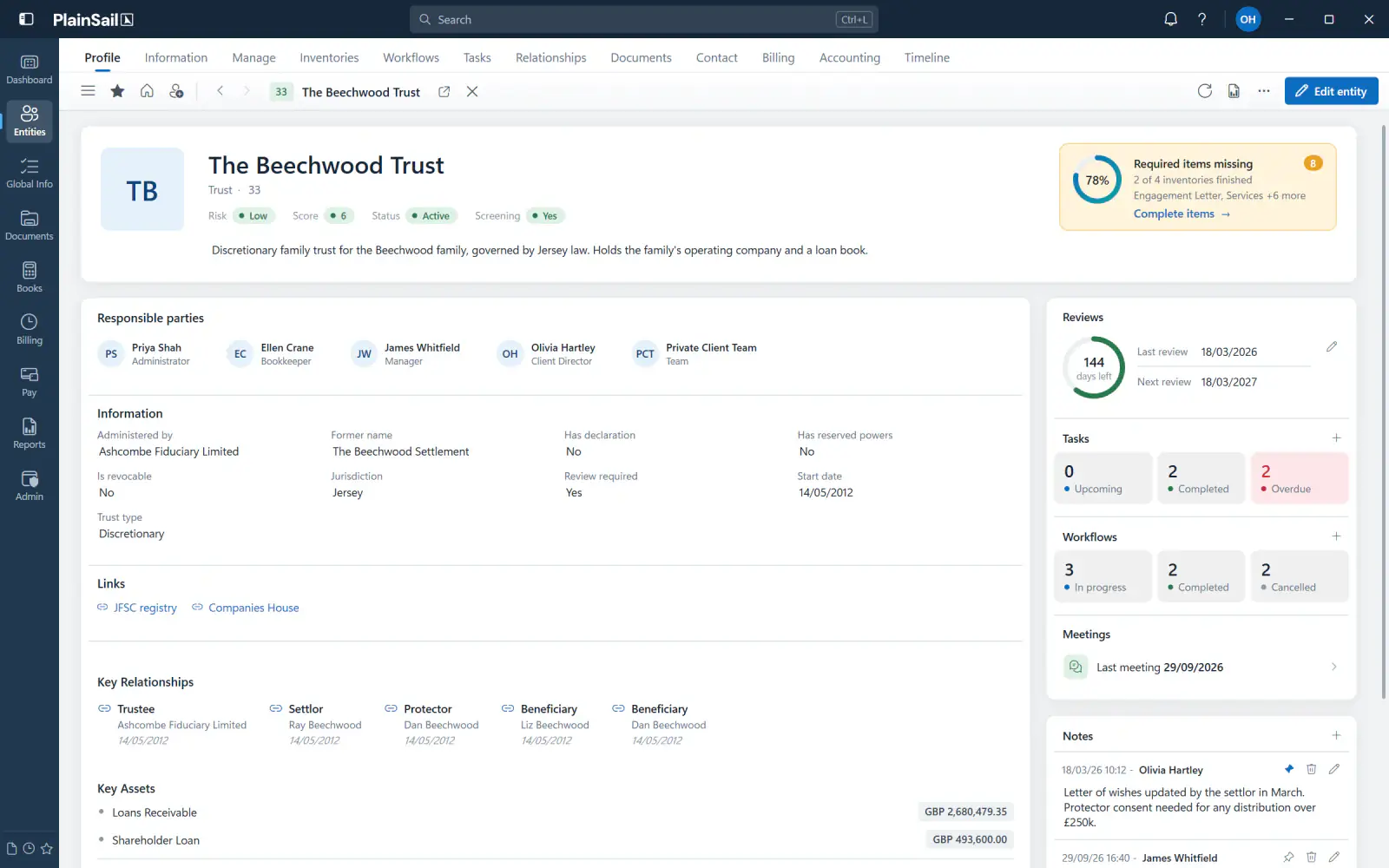
Entity Management
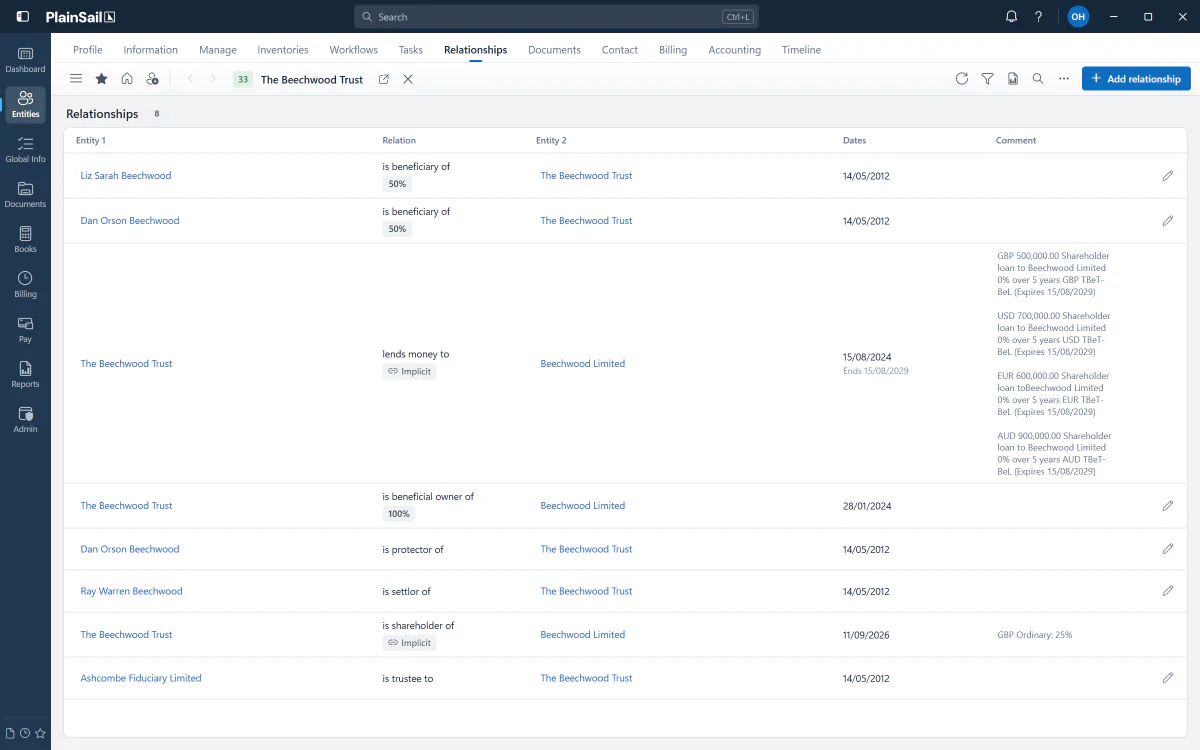
Everything connected to the people, trusts and companies you manage.
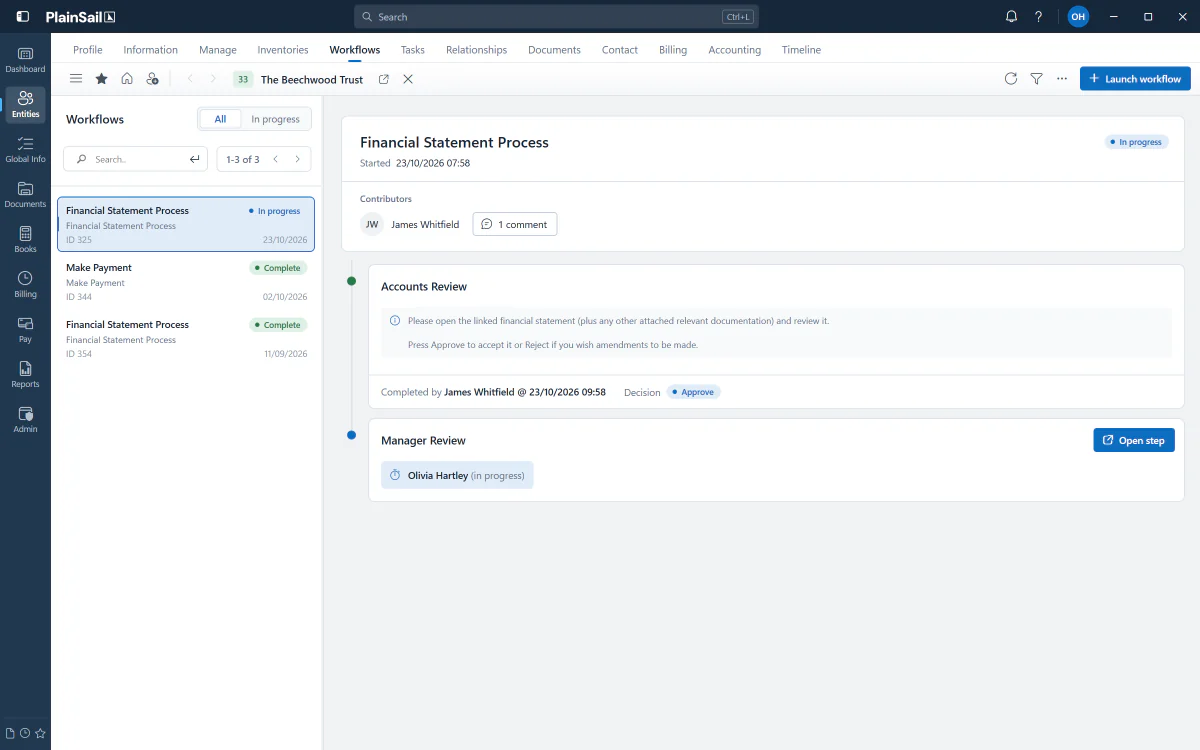
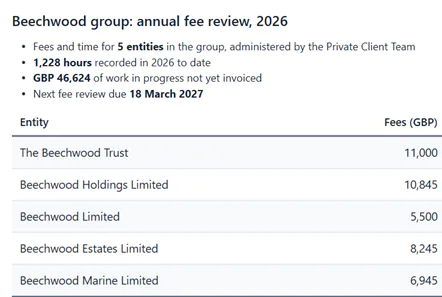
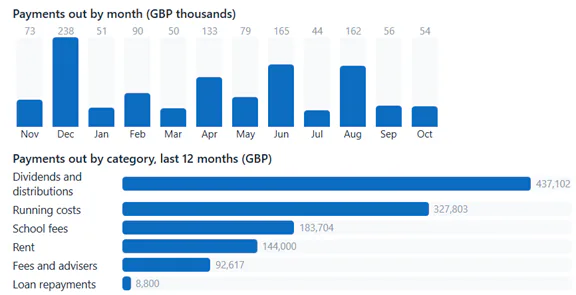
Workflows run the heart of a trust business: client reviews, risk assessments, payments and approvals. In PlainSail 2.0, any step can be configured to show richly formatted guidance, with tables and charts drawn from your PlainSail data. Here are two examples.
An example Make Payment step, configured to show the account position and payment history before you confirm.
An example Annual Fee Review step, configured to set out fees, time and work in progress before you approve.
Straight from your data.
Configure a step to pull figures from PlainSail when it runs, so nothing is retyped.
Charts that speak plainly.
Bars, columns, progress, sparklines and donuts, right where the decision is made.
Targets that speak up.
Set a threshold. If something falls short, you’ll see it.
Built for sign-off.
Every decision is recorded alongside what was approved.
Clear guidance at every step.
Bring instructions, supporting information and approvals together within your workflows. Richly formatted content makes it easier for everyone to understand what’s required and what happens next.
Client reviews. Clear instructions for every reviewer.
Risk assessments. What to check, and why it matters.
Payments. The supporting detail, right beside the request.
Approvals. Who signs off, and in what order.
As flexible as ever. Now brilliantly clear.
One consistent frame
Everything within reach.
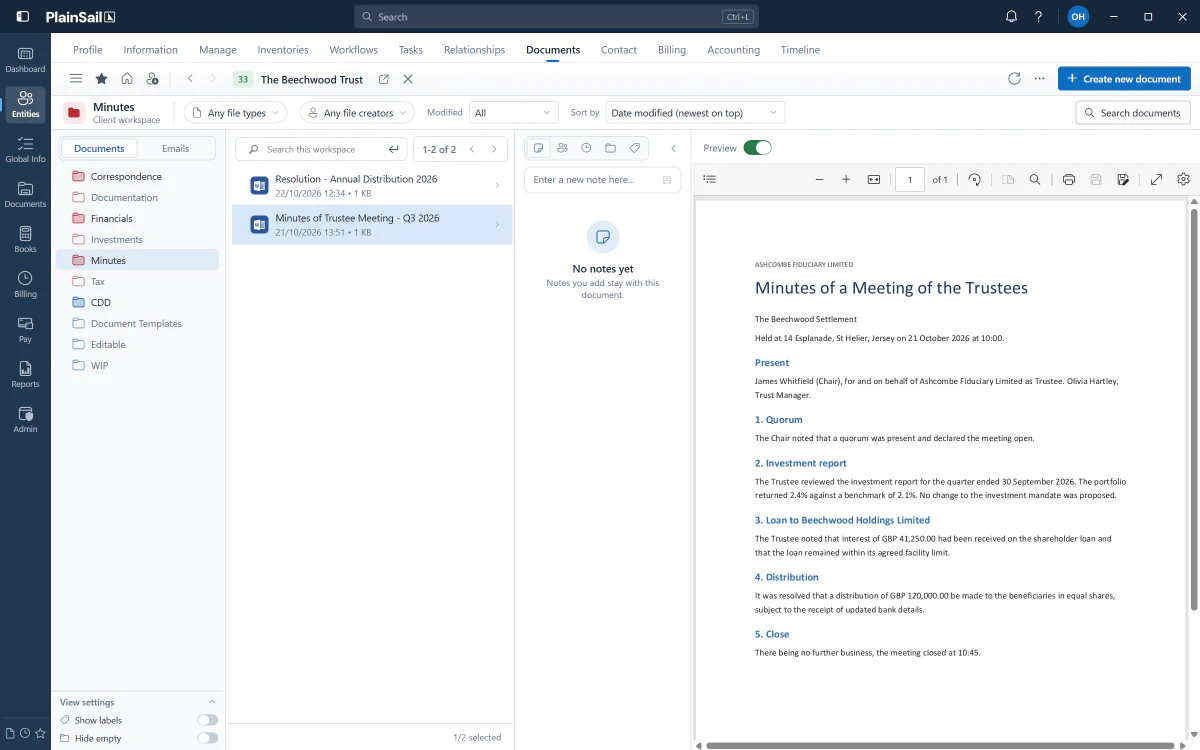
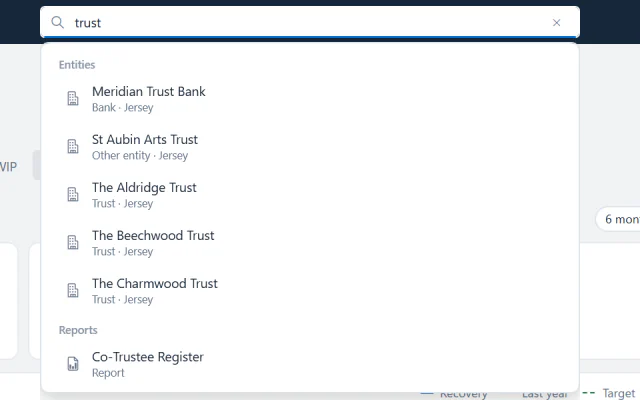
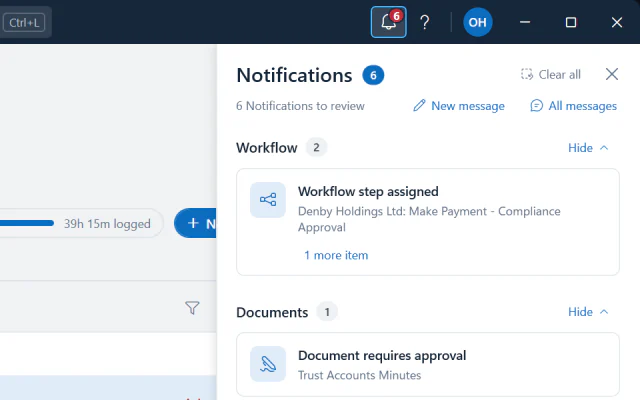
A single navy bar runs across every screen, holding navigation, search, notifications and your theme, so the essentials are always in the same place.
More than a new look
Familiar where it matters. Refined everywhere else.
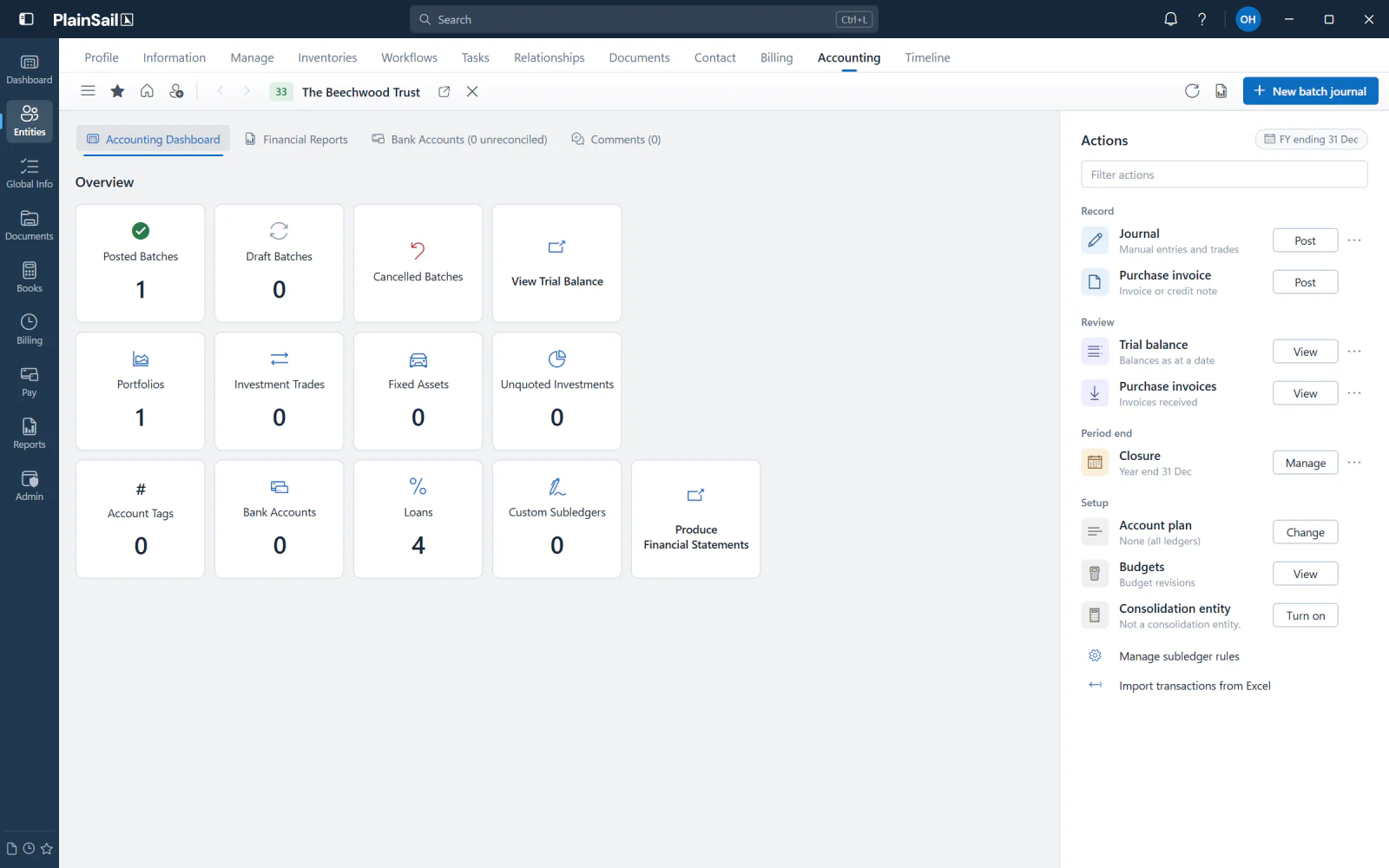
PlainSail 2.0 brings a more coherent, contemporary experience, with thoughtful improvements to the way you navigate and work across the platform.
Developed continuously since 2013
Consistent throughoutNavigation, surfaces, styles and interactions that match across hundreds of views.
Better perspective on performancePurpose-built charts and operational dashboards with direct routes into the detail.
Light and dark, thoughtfully pairedChoose the atmosphere that suits your work without sacrificing clarity.
1
Try the new dashboard.
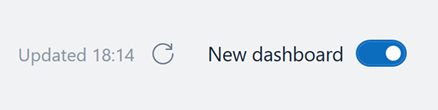
Turn on the new dashboard when you’re ready. Your classic dashboard stays as it is.
2
Work your way.
Every screen carries the new design, in light or dark.
3
Switch back anytime.
One click returns you to the classic dashboard, with no restart.
Introducing PlainSail 2.0
A clearer view of everything.
See how PlainSail 2.0 can help your team stay focused on the work that matters.